Family Calendar App
One shared family calendar for your whole family
Football practice, parent-teacher night, the dentist: Famora keeps every family event in one calendar, each person in their own colour — on your phone, in the browser and on your watch. Everyone sees at a glance who needs to be where, without five separate messages.
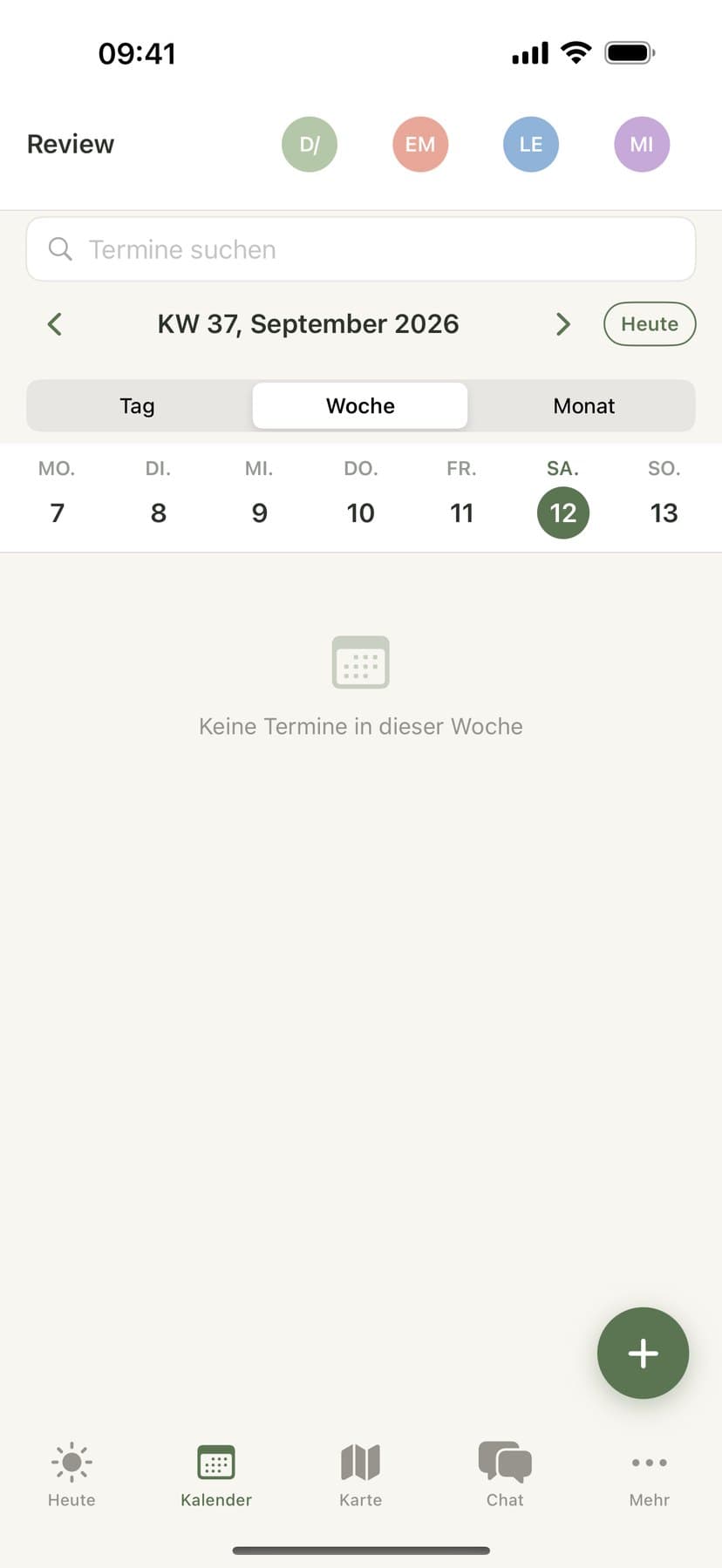
How to set up your family calendar
Create your family
Sign up in the app or in the browser at app.famora.one and give your family a name. The first 14 days are free; after that you choose a plan.
Invite your family
Open Family → Invite member and share the invite link or code. Everyone installs the app or opens the web app and joins with that code — no shared password needed.
Everyone gets a colour
Famora automatically assigns each family member their own colour. Switch between month, week and day view to see who's busy when.
Add your first event
Add events with a time, place and participants, set up recurring events for anything regular (like practice every Tuesday), and invite people to RSVP. On the Premium plan you can also dictate an event or photograph a flyer.
Set up reminders and devices
Turn on a push reminder for each event — it reaches whoever is marked responsible. Add the calendar widget to your home screen (iOS/Android) and pair an Apple Watch or Wear OS watch to see events on your wrist.
What the Famora family calendar can do
Month, week and day view
Every family member has their own colour, so you can see at a glance who has something on.
Recurring events down to specific weekdays
Set up repeats — daily, weekly on certain days, monthly — and edit or delete a single occurrence of a series without touching the rest of it.
Catches scheduling conflicts
Famora warns you when two events for the same person overlap. On the Assistant plan, AI also suggests alternative times that actually work for everyone involved — nothing is ever applied automatically.
Responsibility and a done status
Assign an event to whoever is responsible for it and mark it done — useful for anything one person handles on behalf of the family.
Categories you can pause
Group events into categories (like sports or school) and pause a whole category — over the holidays, say — without deleting anything. Reminders stay quiet until you turn it back on.
Public holidays by country
Show a country's public holidays in your calendar, read-only and refreshed automatically once a month.
Calendar subscribe & export
Subscribe to your Famora calendar as an ICS feed in Apple Calendar, Google Calendar or Outlook, or export it as a file — read-only, so your family stays the source of truth.
Import external calendars
Bring in a Google Calendar, a school portal or a club calendar by link — read-only, stored encrypted on servers in Germany; Famora never writes back to the source.
School & daycare year calendars
Keep one year calendar per child. From Premium you can photograph the printed year plan — Famora reads it and you review the draft before saving. Get a heads-up 1 or 7 days ahead, by push and optionally email.
Past events & remembered dates
The event archive keeps past events instead of deleting them, free on every plan. Under "Remembered dates", Famora also keeps track of birthdays for people outside your family.
On every device
Web, iPhone, Android, Apple Watch and Wear OS — it's the same family calendar everywhere, the controls just adapt to the device.
Web
Full calendar management in the browser at app.famora.one — add events, edit series, manage categories, subscribe to or import calendars.
iOS
A native iPhone app with a home-screen widget for upcoming events, dictation and photo recognition from Premium, and full calendar management.
Android
A native Android app, also with a home-screen widget, dictation and photo recognition from Premium, and full calendar management.
Apple Watch
Shows the day's events at a glance. Add a new event right from your wrist by dictating it (Premium/Assistant).
Wear OS
Also shows the day's events; add new events the same way, by dictating them (Premium/Assistant).
What depends on your plan
The family calendar itself is included in every plan: recurring events, reminders, categories, holidays, the event archive and remembered dates are all free on Basis, Family, Premium and Assistant alike. What scales with the plan is how many external calendars you can subscribe to (1 on Basis, 3 on Family, 5 on Premium, 10 on Assistant) and how many school/daycare year calendars you can keep. Two AI features arrive from Premium: adding events by dictation or photo. Automatic reschedule suggestions for conflicting events are reserved for the Assistant plan.
Frequently asked questions about the family calendar
- How do I set up a shared family calendar with Famora?
- Sign up, invite your family with an invite link or code, and you're all looking at the same calendar — each person in their own colour, on the phone and in the browser.
- Can I connect the Famora calendar to Google Calendar or Apple Calendar?
- Yes, in both directions, but read-only each way: you can subscribe to your Famora calendar as an ICS feed in Google, Apple or Outlook, and separately import an existing calendar into Famora by link. Famora never writes back to the external source.
- Can children without their own phone see the calendar too?
- Yes — for a child without a device, you create a profile without login credentials that works with events, responsibilities and reminders the same way. Adults outside your family don't see the calendar, but you can still keep track of their birthdays under "Remembered dates".
- Can I move a single occurrence of a recurring event without changing the whole series?
- Yes. Whenever you edit or delete a recurring event, Famora asks whether it's just that one occurrence or the whole series.